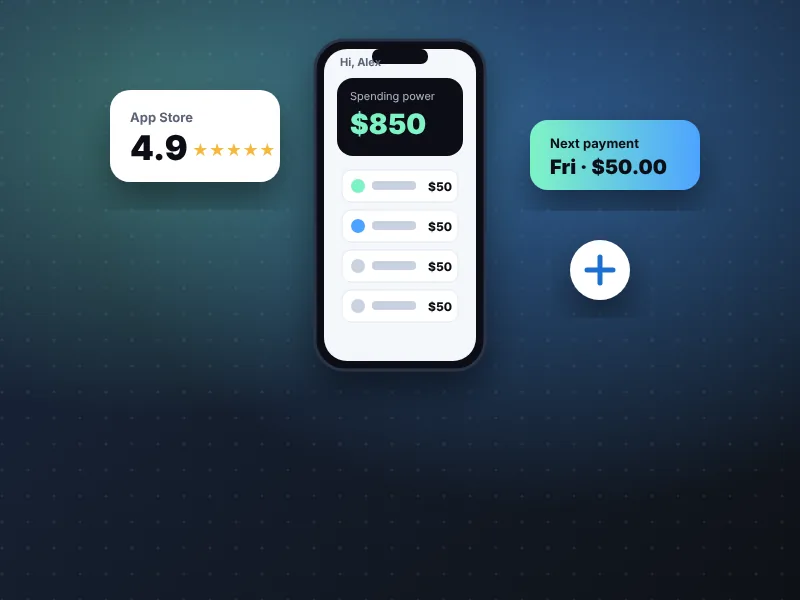
- The app bundles pay-later plans, Sezzle Cash, a virtual card, rewards, Sezzle Up credit reporting and Sezzle Send.
- Sign-up uses a soft credit check; spending power starts low and typically grows with on-time payments.
- Link a bank account, check upcoming installments every payday, and reschedule early to avoid most fees.
The Sezzle App is the hub for every Sezzle product — from classic buy now, pay later plans to Sezzle Cash advances, a pay-anywhere virtual card, rewards and optional credit building. This page walks through setting it up, using each feature and keeping your account in good standing.
What the app is
Sezzle Inc. is a Minneapolis-based fintech company listed on the Nasdaq (ticker: SEZL). It began as an online checkout option that let shoppers split purchases into four interest-free payments. Today the Sezzle App bundles several services:
Pay in 2, Pay in 4, Pay in 5, Pay in Full and Monthly Payments — see payment plans.
How to download and set up the app
- 1Download
“Sezzle – Shop, Save, Earn” from the App Store or Google Play. Check that the developer is Sezzle Inc.
- 2
Enter your mobile number and confirm it with the text code. It must be a U.S. or Canadian number that receives texts.
- 3
Verify your email and add your legal name, date of birth and address.
- 4Add a payment method
We recommend linking a bank account as your default — it avoids card surcharges and is required for Sezzle Up.
- 5Review your spending power
Sezzle runs a soft credit check that does not affect your score and shows your starting limit.
- 6
Turn on notifications so you get reminders before every due date.
Sezzle features
Shop with Pay in 4 and Pay in 2
Browse partner stores in the app or choose Sezzle at checkout. Pay in 4 splits a purchase into four payments over six weeks with 25% due at checkout; Pay in 2 splits it into two payments two weeks apart. Both are interest-free when paid on time.
Request Sezzle Cash
Eligible Sezzle Anywhere members see a SezzleCash tile. Pick an amount, review the flat fee and five payment dates, and choose instant debit delivery or a bank transfer.
Virtual card
The Sezzle virtual card, issued by WebBank, can be added to Apple Wallet or Google Pay. With Sezzle Anywhere you can use it wherever Visa is accepted; without a membership, single-use virtual cards work at select retailers and may include a small service fee.
Rewards and Sezzle Spend
Sezzle Spend gives up to 2% back on Pay in Full purchases. The rewards hub adds points for activities such as buying gas, shopping featured brands and completing in-app tasks.
Sezzle Mobile
Sezzle also markets a phone plan, Sezzle Mobile, starting at about $29.99 per month on AT&T's network. It is optional and separate from the credit features.
Your Sezzle spending power
Your limit reflects what Sezzle believes you can comfortably repay. It is based on your Sezzle payment history, credit information and overall financial picture. New users typically start low; limits commonly rise after several orders are paid on time.
Sezzle recommends having at least 25% of an order's total available on your payment method at checkout. For practical steps, read how to increase your Sezzle spending limit.
Managing payments in the app
Move an installment up to two weeks later. The first reschedule on an order is often free; later ones can cost up to $7.50.
Pay one installment or the whole order at any time with no penalty.
Switch the card or bank account for each order.
When a merchant processes a refund, Sezzle applies it to your remaining installments first.
“Across our testing, the single best habit was opening the Sezzle App every payday to check the next two weeks of installments. It takes thirty seconds and is the easiest way to avoid failed-payment fees.”
— Marcus Reyes, Senior Writer, Payments & Fintech AppsSecurity and privacy
The Sezzle App supports biometric login and two-factor verification by text. Sezzle never asks for your password by phone or email.
Be wary of messages that ask you to “verify” your account through a link — always open the app directly. If your phone is lost, contact Sezzle support to lock your account and remove the virtual card from your wallet.
Sezzle pros and cons
Pros
- 0% interest on Pay in 2, 4 and 5 when on time
- Fast Sezzle Cash with free instant delivery
- Soft credit check to join
- Optional credit reporting via Sezzle Up
Cons
- Subscriptions add a recurring cost
- Fees for late, failed or rescheduled payments
- Limits can be low for new users
- SezzleCash is unavailable in about 20 states plus D.C.
Frequently asked questions
Is the app available on iPhone and Android?
Yes. The app is available free on the Apple App Store and Google Play. It holds a 4.9-star rating on the App Store from more than 300,000 ratings as of October 2026.
Can I use the app in stores?
Yes. With Sezzle Anywhere you can add the Sezzle virtual Visa card to Apple Wallet or Google Pay and pay later at most stores that accept Visa. Some partner merchants also accept Sezzle in store without a membership.
What is my Sezzle spending limit?
Your spending power is set by Sezzle based on your payment history, credit information and overall financial picture. It is shown on the app home screen and can change over time.
Can I delete my Sezzle account?
Yes, once all orders and any SezzleCash advance are fully repaid. Cancel any subscription first, then contact Sezzle support through the app.
Which payment methods does the app accept?
Debit cards, credit cards and linked bank accounts. Capital One credit cards and American Express are not accepted for payments, according to published reviews.
- Sezzle Inc., “Sezzle Reports Second Quarter 2026 Results”, August 6, 2026.
- Sezzle – Shop, Save, Earn, Apple App Store listing, accessed October 2026.
- NerdWallet, Sezzle review: fees, plans and credit reporting, accessed October 2026.
- Consumer Financial Protection Bureau, resources on buy now, pay later and earned-wage/cash advance products.