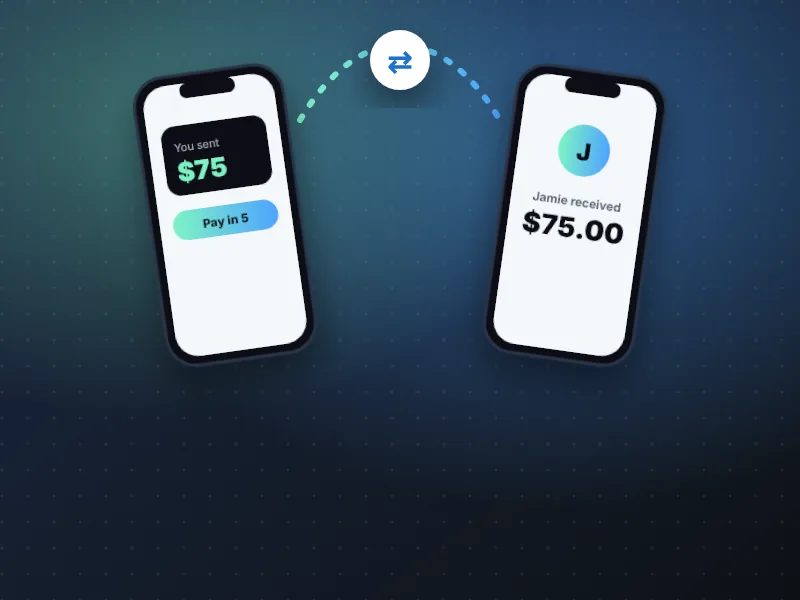
- Sezzle Send lets you send money by phone number and pay in full or over five installments with Pay in 5.
- No membership is needed, but recipients must create a Sezzle account to claim the funds.
- Paying over time is borrowing — review fees on screen and only send to people you know.
Sezzle Send is a peer-to-peer transfer feature that Sezzle began rolling out in August 2026. It lets you send money to anyone using their phone number — and, unlike most payment apps, you can choose to pay for the transfer over time.
What is Sezzle Send?
According to Sezzle's Q2 2026 results, Sezzle Send is open to all Sezzle consumers. Senders can pay in full or over five installments using Pay in 5. Loans are originated by WebBank or Sezzle. Recipients claim the money by creating a Sezzle account.
How Sezzle Send works
- 1
Open the Sezzle App and choose Send.
- 2
Enter the recipient's phone number and the amount.
- 3
Choose Pay in Full or Pay in 5 and review any fees.
- 4
The recipient receives a text and creates a Sezzle account to claim the funds.
Sezzle Send vs. Sezzle Cash
| Sezzle Send | Sezzle Cash | |
|---|---|---|
| Money goes to | Another person | Your own bank or debit card |
| Membership needed | No | Sezzle Anywhere |
| Pay over time | Pay in 5 option | Pay in 5 (sometimes Pay in 4) |
“Sezzle Send is handy for splitting rent with a roommate or helping family in a pinch, but remember that paying over time is still borrowing. If you would not put the amount on Pay in 4 for yourself, don't send it on installments either.”
— Marcus Reyes, Senior Writer, Payments & Fintech AppsWhat does Sezzle Send cost, and how does repayment work?
Sezzle Send gives you two ways to pay. The choice you make at the review screen decides what you owe and when.
Sezzle has not published a full fee schedule for Sezzle Send, so treat the review screen as the final word. Before you tap send, check three things:
- 1
Any fee shown for the transfer or the installment option.
- 2
The date and amount of every installment.
- 3
How those dates line up with your paydays and other open Sezzle App orders.
If an installment fails, the usual Sezzle consequences can apply — including the failed-payment and late fees listed on our Sezzle fees page — and your bank may add its own charges.
Smart ways to use Sezzle Send
- Pay in full when you can — it keeps your installment calendar clear.
- Double-check the phone number before sending.
- Only send to people you know; never use it for online purchases from strangers.
Is Sezzle Send safe? Scam red flags to know
Like any money-transfer tool, Sezzle Send is only as safe as the person on the other end. Once a recipient claims the funds, getting them back can be difficult, so the time to be careful is before you send.
Red flags
- Someone you have never met asks to be paid through Sezzle Send for an item, a rental deposit or a ticket.
- A caller or message claiming to be from Sezzle asks you to “test” a transfer or send money to unlock a bigger limit.
- A stranger “accidentally” sends you money and asks you to return it.
- Pressure to act fast or keep the request secret.
Safe habits
- Send only to friends and family whose number you already have saved.
- Open the Sezzle App directly rather than tapping links in texts or emails.
- Contact Sezzle support immediately if you think you sent money in error.
More warning signs are covered in is the Sezzle App safe?
Frequently asked questions
Who can use Sezzle Send?
Sezzle announced Sezzle Send for all Sezzle consumers, with rollout beginning in August 2026. Availability may vary by account.
Does the recipient need the app?
Yes. Recipients claim funds by creating a Sezzle account.
- Sezzle Inc., “Sezzle Reports Second Quarter 2026 Results”, August 6, 2026.
- Sezzle – Shop, Save, Earn, Apple App Store listing, accessed October 2026.
- NerdWallet, Sezzle review: fees, plans and credit reporting, accessed October 2026.
- Consumer Financial Protection Bureau, resources on buy now, pay later and earned-wage/cash advance products.