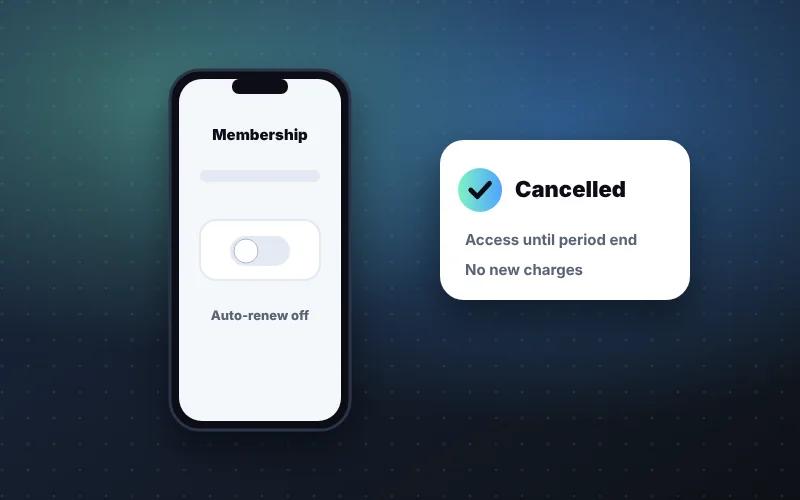
- Cancel Sezzle Anywhere or Premium in the app's subscription settings, then screenshot the confirmation and end date.
- Open orders and any Sezzle Cash advance keep their schedule; new advances need an active Sezzle Anywhere membership.
- Cancel shortly before renewal, check your next statement, and decide first whether a cheaper tier fits better.
How to cancel Sezzle Anywhere or Premium
- 1
Open the Sezzle App.
- 2
Go to your account and find subscriptions.
- 3
Select your membership.
- 4
Choose cancel and confirm.
- 5
Screenshot the confirmation and note the end date.
Can't find the cancel button? Troubleshooting
If the steps above don't match what you see, one of these usually explains it.
Menus move between versions. Update the Sezzle app from your phone's app store and look again.
If you have ever signed up with a different email or phone number, check that you're logged in to the account that is actually being billed.
Look at the receipt email for your membership. It shows which account was charged and helps you confirm where the subscription lives.
A banner about an overdue payment can crowd out other options. Clear or reschedule it, then return to subscriptions.
It also helps to check from a phone rather than a desktop browser, since account settings are usually easiest to reach in the mobile app.
Still stuck? Contact support through the app and ask them to cancel the membership and confirm the end date in writing. Keep that message with your screenshot.
What happens after you cancel
Cancel, keep or switch tiers? A quick decision checklist
Before you confirm, take a minute to check that cancelling is the best move. Sometimes a smaller change works better.
Cancel if…
- You signed up mainly for one Sezzle Cash advance and don't plan to request another.
- You haven't used the virtual card in recent weeks.
- The monthly charge makes it harder to pay your installments on time.
Keep it if…
- You regularly split everyday purchases at stores that don't offer Sezzle directly.
- SezzleCash has replaced overdraft fees you would otherwise pay.
Consider a cheaper tier if…
You like shopping at more stores but don't need the card or advances. Sezzle Premium costs less — about $13.99 a month versus about $19.99 — but it does not include Sezzle Cash.
Write down what you actually used last month. If the list doesn't add up to the price, cancelling is the clear call.
Best timing to cancel
Cancel a day or two before your renewal date so you don't pay for another month. Benefits typically continue through the end of the paid period.
After you cancel: avoid surprise charges
Cancelling is a two-minute task. Making sure it stuck takes a little follow-up.
- 1Check your next statement
Look for any membership charge after your end date.
- 2Confirm open installments are funded
Your payment method still needs to cover every remaining order and advance payment.
- 3Turn off reminders you no longer need
Then set one for your final installment so nothing slips once the app feels “closed.”
- 4Raise unexpected charges quickly
Contact support with your confirmation screenshot before going to your bank.
If you also used the virtual card for recurring bills or subscriptions, move those to another payment method before your end date so nothing is declined.
Weighing whether to return later? Our Sezzle Anywhere and Premium overview breaks down what each tier includes.
Thinking about coming back later?
Cancelling doesn't have to be permanent. Plenty of people pause a membership and return when their needs change.
Before you re-subscribe
- Have a specific reason, such as a planned purchase you want to split at a store that doesn't offer Sezzle
- Check that all open installments are current
- Note the renewal date the moment you sign up again
- Decide in advance when you'll cancel if you only need it briefly
Don't re-join only for an emergency advance
If a sudden bill is the only reason to come back, compare the membership plus the fee with other options first. Offers aren't guaranteed even after you re-subscribe, so a short-term need might be better met another way.
Treat memberships like any other subscription: useful when you use them, a quiet drain when you don't.
“Put your renewal date in your phone the day you subscribe. Forgotten subscriptions are the quietest cost in fintech apps.”
— Danielle Okafor, Managing Editor, Consumer CreditFrequently asked questions
Will cancelling Sezzle Anywhere affect my Sezzle Cash advance?
No. You still repay any outstanding advance on the original schedule.
Can I re-subscribe later?
Generally yes, if Sezzle offers the membership to your account.
- Sezzle Inc., “Sezzle Reports Second Quarter 2026 Results”, August 6, 2026.
- Sezzle – Shop, Save, Earn, Apple App Store listing, accessed October 2026.
- NerdWallet, Sezzle review: fees, plans and credit reporting, accessed October 2026.
- Consumer Financial Protection Bureau, resources on buy now, pay later and earned-wage/cash advance products.